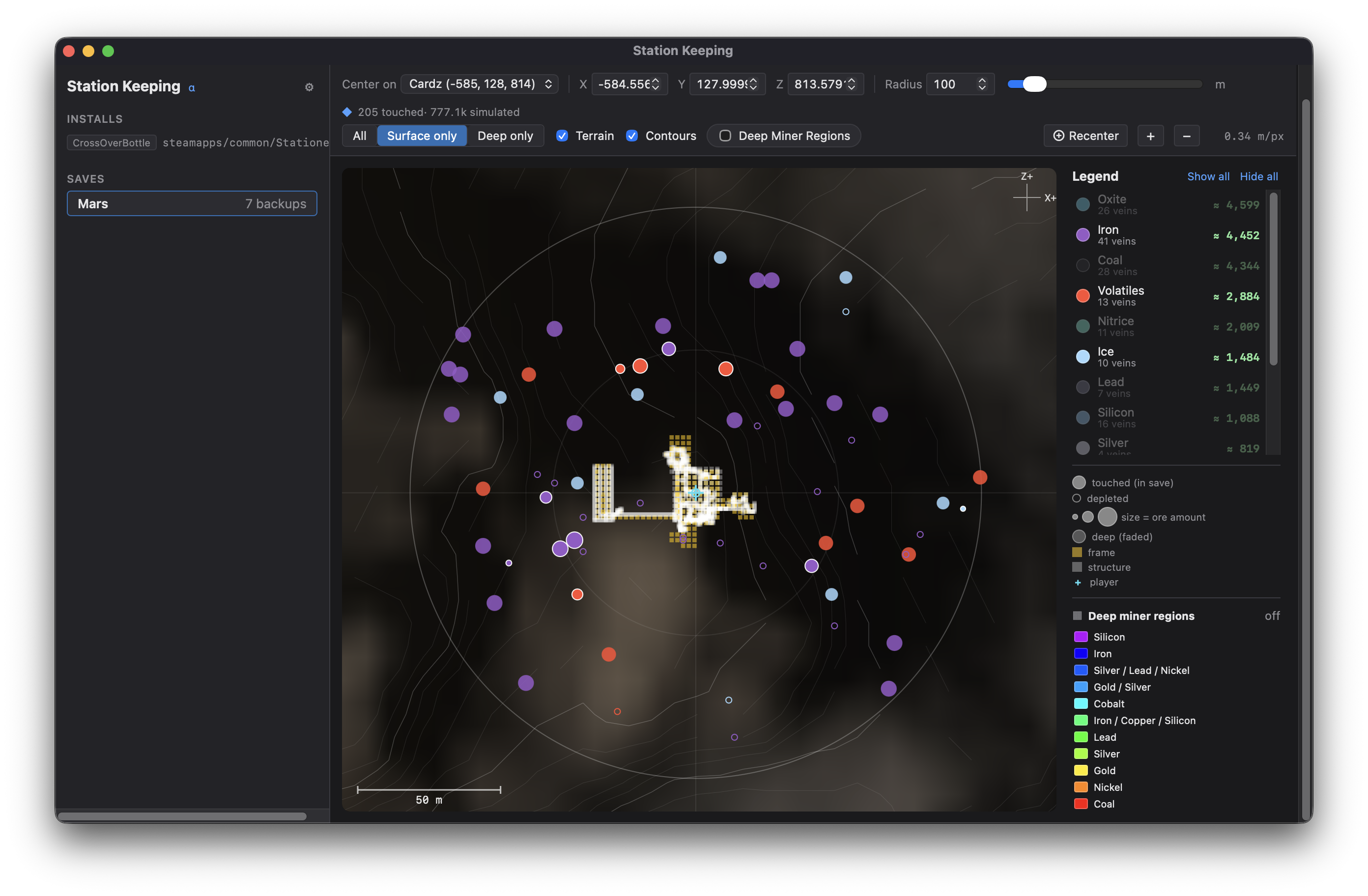
Your whole station, on one screen.
A free app for Mac, Windows, and Linux. Open a save, see what you’ve built,
and change things when you need to — your save is backed up first.
01
Ore map
A top-down map of your world: hills, height lines, and where deep miners can
reach. See which ore veins still have metal left and what’s deeper down —
plus your buildings and where you are. Point at a vein for depth and how
much ore is left. Show surface or deep ore, and zoom around your base.
02
Finds your saves
On launch, the app looks for your Stationeers saves — including extra Steam
library folders and common Mac/Linux setups. Pick a world from the list and
you’re in.
03
Edit your save
Fix a player who’s in bad shape, rename or move items, tweak room air mixes,
edit automation chips, or change the in-game clock. Make several changes,
then save once — with a backup created first.
04
Station overview
World name, difficulty, how you started, game version, and how much is in
the save — items, rooms, pipes, and chips. See a breakdown by item type so
you know what you’re working with.
05
Recipes & build planner
Look up recipes, scale up how many ingots you need to smelt, and turn a
shopping list of parts into a list of raw materials. Figure out your next
expansion before you load the game.
06
Battery map
Every battery in your world on one map, colored by how full it is. Find
dead packs or weak spots on the power grid without walking the base in-game.